-
Set the contract and rates
Start from a reusable rate sheet. Set labor and equipment rates, material markup, per diem, overtime rules, and the approval steps for the contract.
-
Apply the contract to the work
Use a project contract for T&M work across a job. Give a change-order or force-account task its own contract when different rates apply.
-
Build the ticket from the field record
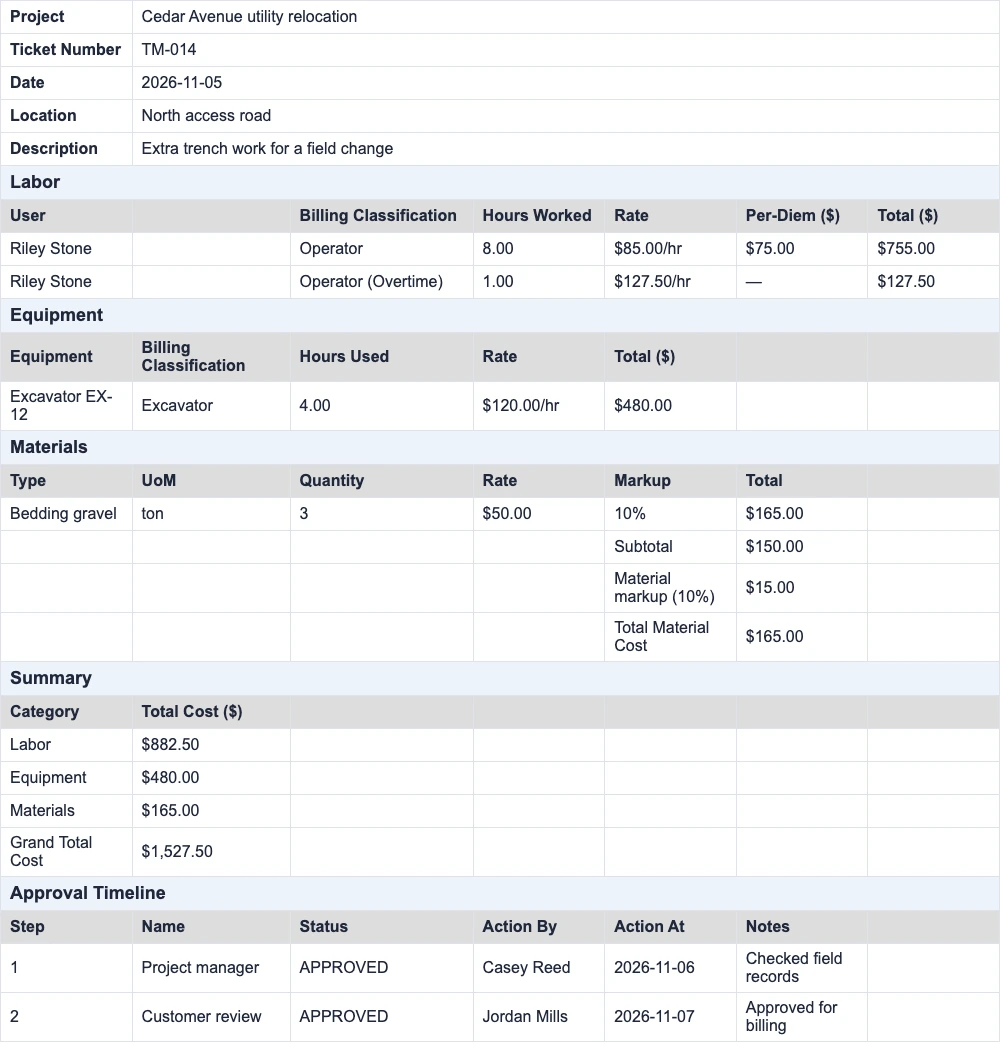
Pick the date and tasks. Review labor and equipment pulled from field records, enter materials, and add the location and notes that explain the extra work.
-
Send it for review
CrewView sends action items to configured approvers in order. The project manager can review the ticket first, then the customer can review it as an Outside Collaborator.
-
Export the approved ticket
Check the approval steps, then download the Excel file for your billing team. An authorized user can mark the latest approved revision as billed after billing is handled.