Why CrewView
Software Your Crew Will Actually Use
Most construction platforms get sold to the back office and ignored in the field. CrewView runs people, projects, equipment, and safety in one app a foreman can pick up in a morning.
The free trial starts with a conversation, not a credit card.

If the Work Happens in the Field, This Was Built for You
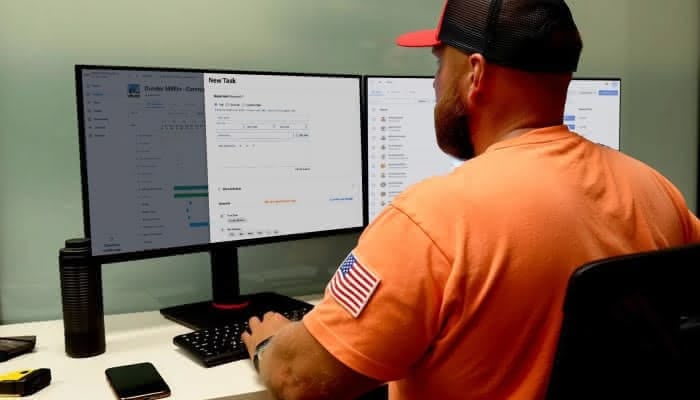
CrewView is for contractors whose real work happens away from a desk. One crew or a hundred, one yard or several. Time, tasks, equipment, safety records, and the paperwork that goes with them live in the same app, so the field and the office are working from the same information instead of two versions of it.
- Start with one crew or one job and roll out at your own pace
- Crews work from the phone already in their pocket
- Works with no signal and syncs when service comes back
- One login covers the yard, the job site, and the office
The Honest Comparison
Three Ways to Run a Construction Company
Two of these are already in use at most companies your size. Here is where each one leaves you.
| Compared on | Spreadsheets and group texts | All-in-one platforms | CrewView |
|---|---|---|---|
| What it costs | Nothing, until a missed timecard or a misplaced skid steer costs you a week | Priced by quote, at the end of a sales process | $25 per user, per month, published on the pricing page |
| What rollout looks like | Nothing to install, and nothing anyone has to follow | An implementation project with scheduled training | Add your crew and start assigning work the same week |
| Who it was designed for | Whoever built the spreadsheet | The back office | The foreman first, the office second |
| Out on the job | Photos and updates buried in a text thread | A mobile app that mirrors the desktop screens | Built for the phone, works with no signal, syncs when service returns |
| Safety records | A binder in somebody’s truck | Often a separate module | Forms, training, and the audit trail live in the same app |
Built for Better Operations
Four Things to Manage. One Place to Manage Them.
People, projects, equipment, and safety are the four things you manage. Reporting and company-wide views are not a fifth and sixth product to buy, they are how you see across all four.

Your Crews, Organized and Accountable
From clock-ins to crew assignments, CrewView helps you manage teams with precision, not paperwork.
- Assign the right crew to every job
- Track time and attendance with location data
- Set role-based permissions and access
- Manage time, breaks, and approvals easily
Keep Every Job on Track
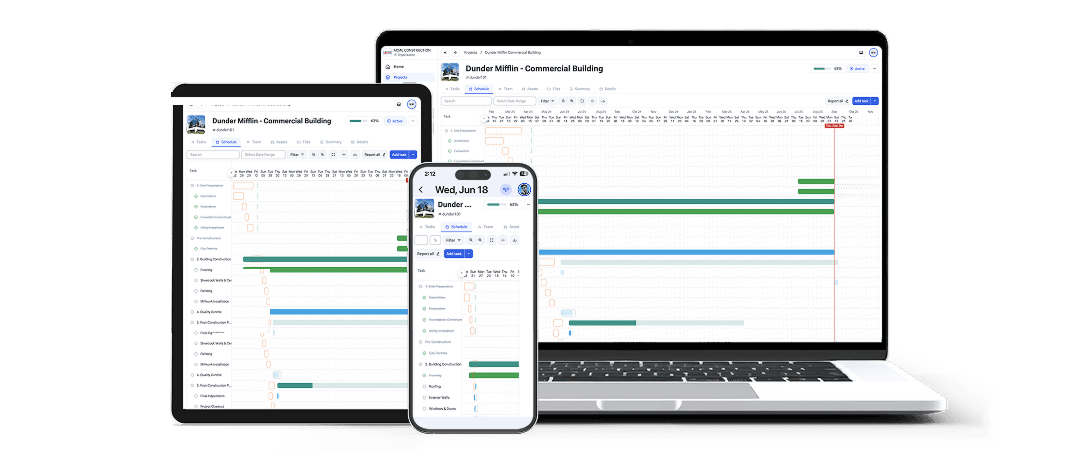
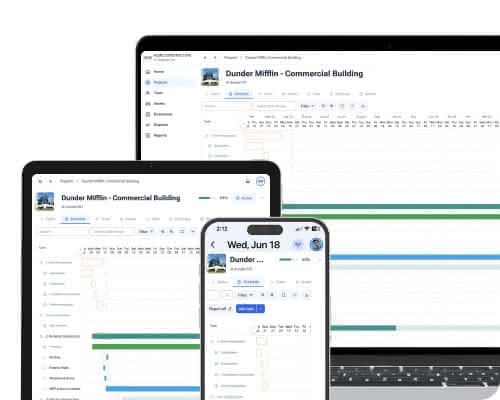
Track progress, stay on schedule, and manage tasks without the spreadsheet chaos.
- Build out tasks and set clear dependencies
- Visualize milestones with live Gantt charts
- Link teams and tools to project phases
- Monitor status updates in real time

Know What’s Where—and Who’s Using It
CrewView keeps your assets organized, maintained, and accounted for across every job site.
- Assign assets to crews or projects fast
- Track maintenance with built-in service logs
- Prevent loss with usage history and status
- Transfer tools with approval and confirmation

Smarter Compliance Means Safer Crews
CrewView combines on-demand safety videos with digital forms, giving you real-time oversight, custom flexibility, and a permanent audit trail accessible from any device.
- Build your on-demand safety training library for your crew
- Ensure compliance with real-time crew compliance visibility
- Quickly create custom forms, checklists, and incident reports
- Search a permanent and comprehensive records archive

Built by a Craftsman, Not a Software Company
CrewView was designed by someone who has run construction work, not by a product team studying the trade from across a conference table. It shows up in the small decisions: what the app opens to, how few taps a clock-in takes, and how much a foreman can settle without calling the office.
- Every feature had to earn its place on a job site first
- Pricing is published, so nobody has to sit through a sales process to get a number
- One phone number, answered by people who know construction
Before You Switch
What People Ask Us First
Will the crew actually use it?
This is the question that decides everything, and it is where most rollouts fall apart. CrewView is built for the phone first, so clocking in, checking a task, or filing a JSA takes a few taps and no training class. Start with one crew and watch what happens before you take it company-wide.
Watch a Quick DemoWhat does it actually cost?
The price on the pricing page is the price. $25 per user, per month, or $150 a month for a Starter team of up to five. No quote, no module list, no call required to find out.
See pricingWhat about everything we already run on?
Nothing has to move at once. Most companies start with a single crew or a single job, run CrewView next to what they have now, and bring the rest over once the field is comfortable with it.
Talk it through with usSee why construction managers are switching to CrewView.
Speak with a CrewView adviser at (801) 613-0344.