

Project management, time tracking, equipment, and safety in one mobile tool built for construction companies.

Construction Employee Scheduling Software

Construction Crew Scheduling Software Without the Daily Scramble

Assign employees and crews to the right jobs, update the plan when field conditions change, and give everyone one current schedule. CrewView connects crew management with projects, timecards, and equipment.

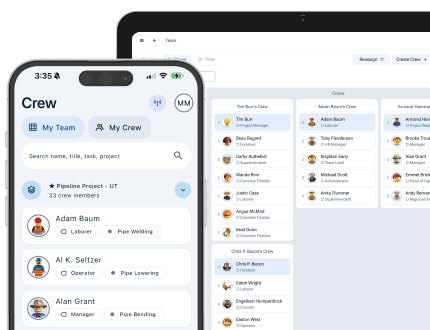
CrewView construction crew schedule with employee assignments by job
Current crew assignments Jobs and tasks in one view
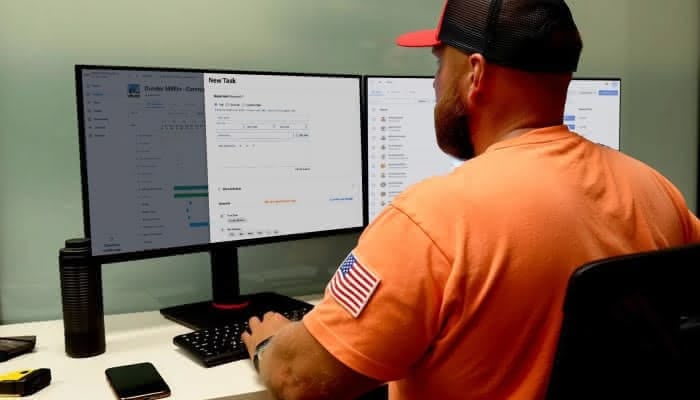
A construction manager reviewing crew assignments and project schedules

One Schedule for the Field and Office

Put the Right Crew on the Right Work

A useful construction schedule needs more than names on a calendar. CrewView keeps the assignment connected to the job, task, time record, and equipment the crew needs.

01

Assign employees and crews

Build crews around the work and place employees on the projects and tasks they are responsible for completing.

02

Change the plan quickly

Move people when a job slips, a worker calls out, or another project needs help. The current assignment stays visible to the team.

03

Connect schedule and time

Compare planned crew assignments with field timecards instead of reconciling separate scheduling and payroll records.

Office manager replacing a construction scheduling spreadsheet with CrewView
Every crew on one schedule

Replace Whiteboards, Spreadsheets, and Group Texts

A whiteboard can show the morning plan, but it cannot follow a crew to the jobsite. CrewView gives managers a shared construction employee schedule that stays available on desktop and mobile.

  • See which employees and crews are assigned to each active project
  • Keep job details with the assignment instead of in a separate message
  • Give the office and field the same current schedule
Foreman checking an updated construction crew schedule on a tablet
Updated field assignment Project details on mobile

Handle Schedule Changes Before They Cost a Day

Construction plans move. CrewView makes reassignment part of the operating record, so managers can respond to an absence, delayed inspection, or jobsite change without rebuilding the schedule from scratch.

  • Reassign employees to another project or task
  • Check the people and equipment committed to each job
  • Keep responsibility clear after the plan changes
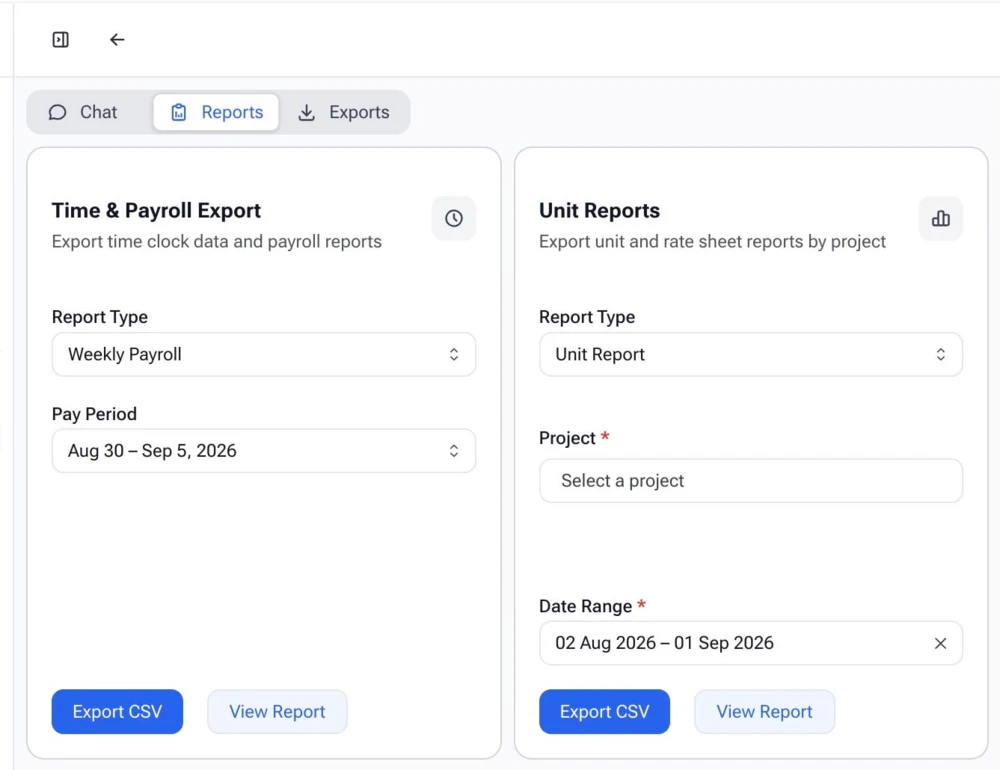
Construction timecard export connected to crew scheduling in CrewView
Payroll-ready crew hours

Carry the Crew Plan Into Timecards and Payroll

The schedule should not become a dead record after the shift starts. CrewView links assignments with job and task hours, giving supervisors useful context when they review a construction timecard.

  • Record hours against assigned projects and tasks
  • Review GPS-supported time entries before approval
  • Export approved labor records for payroll processing
Explore Construction Timecards

Planning a Better Crew Schedule

Build the Schedule Around the Work

Construction crew management starts with a reliable assignment process. Before choosing software, define what the field and office need to know, who can change the plan, and how those changes reach the people doing the work.

Start with projects, tasks, and required skills

A schedule is useful when it explains more than where an employee should report. Define the project, task, expected dates, supervisor, and any skills or certifications the work requires. Then assign the crew against those needs. This helps a manager see when a project has enough people but still lacks the right operator, foreman, or certified employee. CrewView keeps employee and project details close to the assignment, reducing the need to verify the plan in several systems.

Set a clear process for schedule changes

Decide who can move an employee, when the change becomes official, and how the affected supervisor learns about it. A construction employee scheduling system should preserve the current assignment after a job delay, absence, or staffing conflict. It should also give the field one place to check the revised plan. Without that process, managers may update the software while crews continue working from an earlier text message or whiteboard.

Plan people and equipment together

Crew capacity is only part of the resource plan. The assigned employees may still lose a day if the lift, truck, tool, or rental they need is committed elsewhere. Review crew and equipment assignments together before publishing the schedule. CrewView connects those records so project managers can find conflicts earlier and move either the crew or the asset while there is still time to protect the planned start.

Compare the schedule with actual field time

Use the completed shift to improve the next plan. Compare scheduled employees with submitted timecards, project progress, and task hours. A difference does not always mean the schedule failed. The crew may have responded to a field condition that the original plan could not predict. Recording the change gives payroll the right labor detail and gives managers better information for similar work in the future.

Frequently Asked Questions

Construction Crew Scheduling Questions

Crew scheduling touches project management, payroll, and equipment planning. These answers explain how CrewView keeps those records connected.

What is construction crew scheduling software?

Construction crew scheduling software helps contractors assign employees and crews to projects, tasks, and dates. It replaces whiteboards, group texts, and separate spreadsheets with one current schedule for the field and office.

Can CrewView schedule both individuals and crews?

Yes. Managers can organize employees into crews, assign people to project work, and adjust those assignments as staffing needs change.

Can employees see schedule changes on their phones?

CrewView gives field employees mobile access to their current assignments and project details, so they can check where they need to be without relying on an old text thread.

Does scheduling connect with time tracking?

Yes. Crew assignments and time records live in the same system. Managers can compare who was scheduled with the hours submitted for the job and task.

Can managers schedule equipment with a crew?

CrewView connects people, projects, and equipment. Managers can check asset status and assignments while planning the crew that needs the equipment.

Who uses construction employee scheduling software?

Owners, project managers, dispatchers, supervisors, and payroll teams all use the schedule differently. CrewView gives each role access to the same current assignment record.

See why construction managers are switching to CrewView.