

Project management, time tracking, equipment, and safety in one mobile tool built for construction companies.

Construction GPS Time Tracking

A GPS Time Clock App Built for Construction Crews

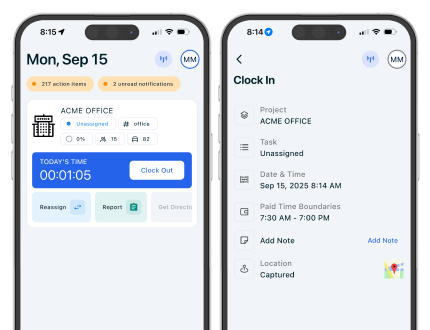
Give employees a simple mobile clock-in and give managers the details needed to approve it. CrewView connects location-verified entries with projects, tasks, crew assignments, and payroll-ready timecards.

CrewView GPS time clock app showing construction crew hours by job
GPS-supported clock-in Hours by project and task
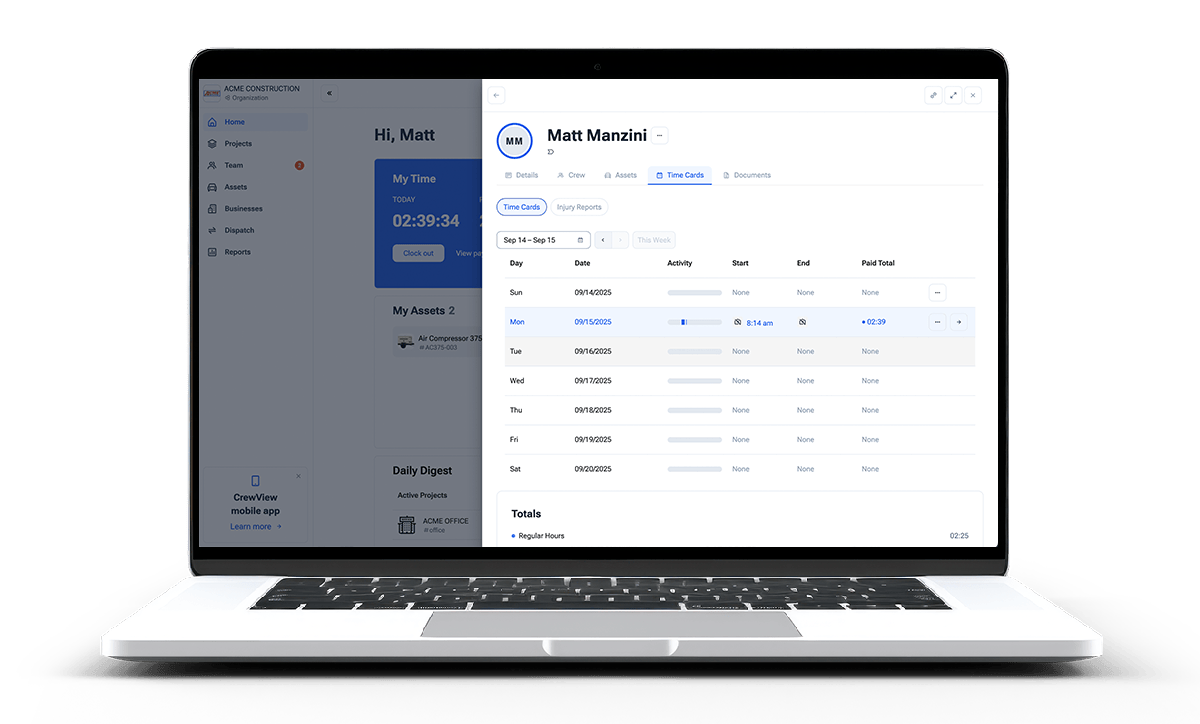
Construction GPS time entries and employee timecards in CrewView

Location Context for Every Timecard

Know When the Shift Started and Which Job Gets the Hours

A timestamp alone leaves the office guessing. CrewView keeps the clock event, location, project, task, and employee in the same time record.

01

Clock in from the field

Employees use their phones to record the start and end of work without carrying a paper card back to the office.

02

Capture job details

Record hours against a project and task so the timecard can support payroll and labor-cost review.

03

Review before export

Supervisors review the entry with its location and work context before approved hours move to payroll.

Construction employee using the CrewView GPS time clock on a phone
Mobile clock-in Location recorded with time

Verify the Entry Without Chasing the Crew

When a paper timecard arrives days later, the details are already fading. CrewView captures location data with the clock event so managers have a useful record when they review an unusual start time or job assignment.

  • Capture geolocation at clock-in and clock-out
  • Review the employee, time, project, and task together
  • Correct mistakes before the pay period closes
Payroll manager reviewing GPS construction timecards by project
Time grouped by job and task

Put Labor Hours on the Correct Job and Task

Construction employees may work on more than one project or cost activity. CrewView lets the time record follow the work, giving project managers and payroll staff a clearer starting point than a total number of hours.

  • Separate hours when an employee moves between jobs
  • Keep task-level detail for labor review
  • Compare submitted hours with crew assignments
Approved construction GPS timecards ready for payroll export
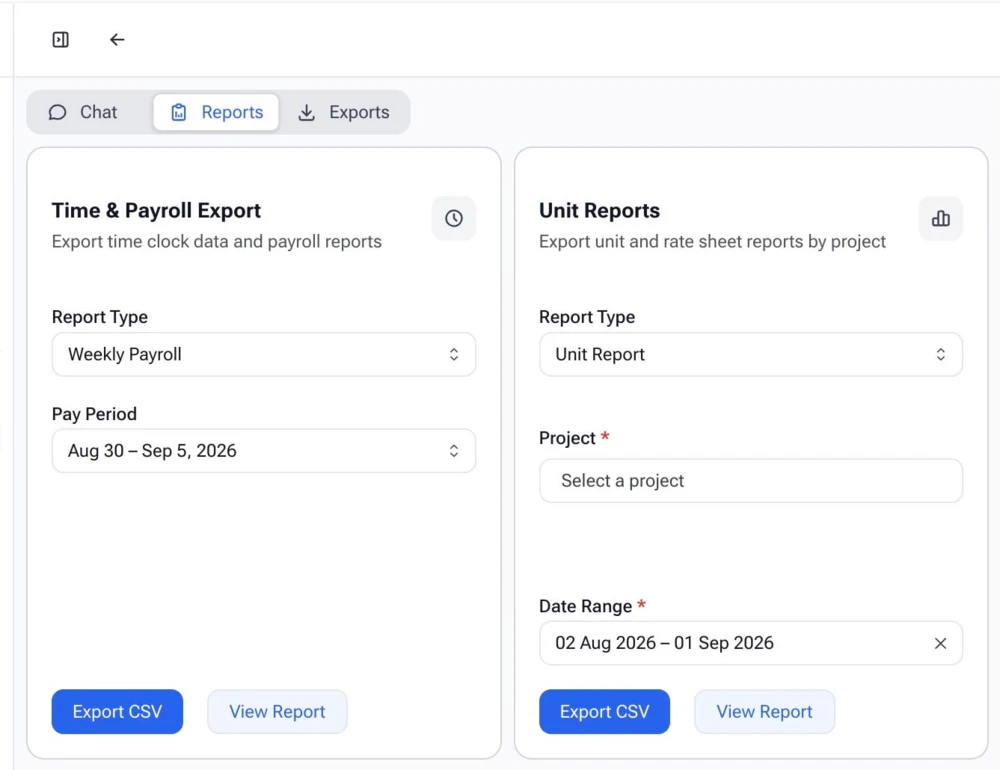
Approved payroll export

Turn Approved Field Time Into a Clean Payroll Record

GPS verification does not remove the need for supervisor review. It gives the supervisor better context. After review, CrewView exports approved timecards without forcing payroll to retype handwritten entries.

  • Review and edit permitted timecard details
  • Resolve exceptions while the work is still recent
  • Export approved hours for payroll processing
Explore Construction Timecards

Setting Up GPS Time Tracking

Make the Time Policy as Clear as the Timecard

A GPS time clock cannot fix an unclear policy by itself. Contractors get better records when employees know when to clock in, how to choose a job, and what happens when an entry needs correction.

Define what the clock event records

Document when the paid day begins and ends, how the company handles travel, breaks, and overtime, and who records time for each crew. Explain that CrewView captures location with clock-in and clock-out entries rather than presenting the feature as continuous tracking. A direct policy makes expectations easier to follow and gives supervisors a consistent standard when they review missing, late, or unusual entries.

Keep job and task choices practical

Ask employees to select the project and task that match the work, but do not bury a field clock-in under a long list of codes. Use names the crew recognizes and maintain the options as projects change. When an employee moves during the day, record the new work rather than assigning every hour to the first job. Clean job coding gives payroll and project managers labor detail they can use.

Review exceptions while the shift is recent

Supervisors should focus on missing clock events, entries on an unexpected project, overlapping time, and repeated manual corrections. Location data gives context, but it does not replace a conversation with the employee. Resolve the exception while the supervisor and crew still remember what changed. This produces a fairer timecard and keeps the payroll team from reconstructing the week after the fact.

Connect approval with payroll and job review

Set an approval deadline and name the person responsible for each crew or project. Once the timecard is reviewed, export the approved record instead of entering it again in a separate spreadsheet. Keep project and task detail available for labor-cost review. The same hours can then support employee pay, job costing, and future planning without creating three versions of what happened in the field.

Frequently Asked Questions

Construction GPS Time Clock Questions

Contractors need accurate time records without turning a simple clock-in into a burden. These answers explain how CrewView adds location and job context.

What is a GPS time clock app for construction?

A construction GPS time clock records when an employee clocks in or out and captures location data with the entry. Managers can review the time, location, project, and task before approving the record.

Does CrewView track employees all day?

CrewView uses geolocation to verify clock-in and clock-out records. The timecard workflow is designed to document work entries, not to present itself as continuous employee surveillance.

Can employees select a job when they clock in?

Yes. Employees can record time against the project and task where they are working, which gives payroll and project managers more useful labor detail.

Can a supervisor review GPS time entries?

Authorized supervisors can review timecards and their supporting details, make permitted corrections, and approve clean records before payroll export.

Can CrewView handle employees who move between jobs?

Yes. Time can be recorded against different projects and tasks, giving the company a clearer record when an employee changes work during the day.

How does GPS time tracking help job costing?

Hours recorded against the correct project and task give managers better labor inputs for job-cost review. Location data helps verify that the entry matches the assigned work.

See why construction managers are switching to CrewView.