Moving JSAs Off Paper
Create a Digital JSA Process Crews Can Complete
The form is only one part of the safety process. Contractors also need a clear trigger, a useful field review, signatures from the right people, and a record the office can retrieve later.
Build templates around the work
Start with the tasks your crews perform and the hazards they actually face. A digital JSA should prompt the supervisor to describe the job steps, identify hazards, and record the controls the crew will use. Keep required fields focused on decisions and evidence the company reviews. A template that asks for the same generic answers on every task will produce completed forms without improving the conversation.
Define when the crew must complete a JSA
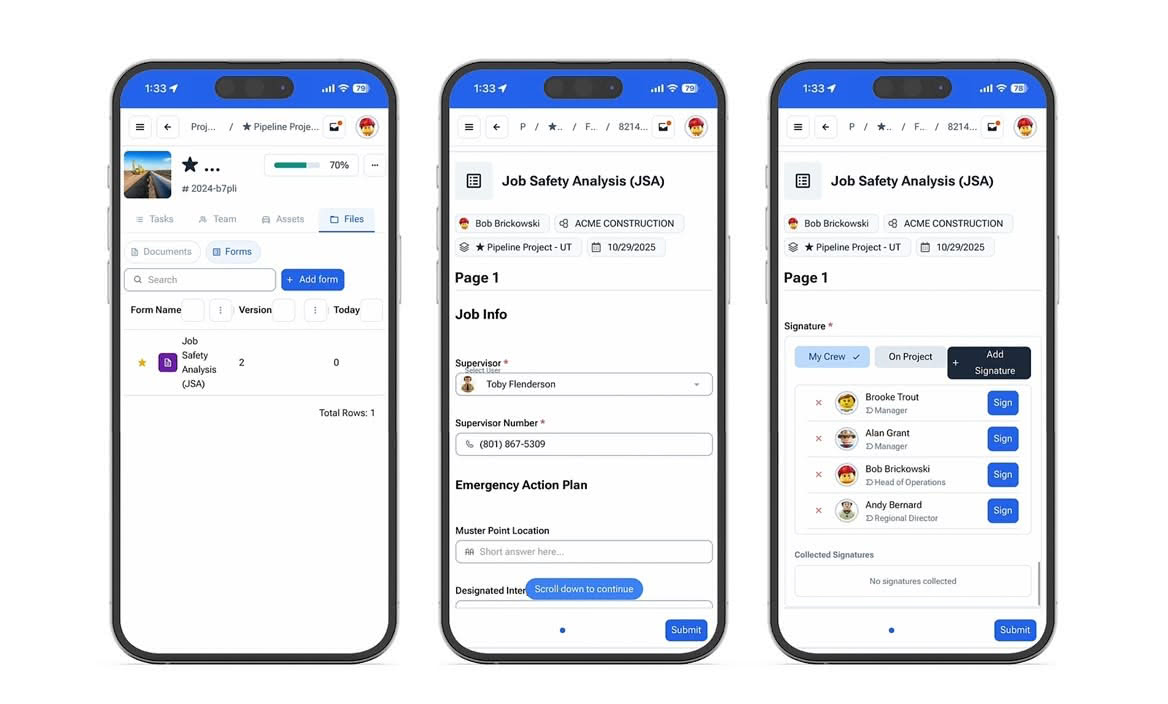
Set clear triggers for a new task, changed condition, different crew, or work that resumes after the plan changes. The supervisor should know whether to update the existing analysis or start a new one. CrewView gives the field a mobile workflow for recording hazards, controls, photos, and signatures where the briefing occurs, so the safety record does not depend on paper returning to the office.
Use the form to guide the field conversation
A JSA should support a real discussion before work begins. Review the sequence, ask the crew what could change, confirm controls, and make responsibility clear. Digital signatures document participation, but the signature is not the whole process. Managers should train supervisors to pause when the work no longer matches the analysis and update the record before the crew continues.
Keep completed records ready for review
Store each completed JSA with its job, date, participants, photos, and signatures. Safety managers need to find the record during an internal review, audit, or incident follow-up without searching binders and inboxes. Over time, review repeated hazards, missing submissions, and late corrections. Those patterns can point to a training need, weak template, or field process that deserves attention.
Connect the JSA with the wider safety program
Use the same employee, project, and crew records across JSAs, toolbox talks, inspections, and certification checks. This gives a safety manager context when a form is missing or a task requires a qualified worker. Keep the JSA page focused on the analysis workflow while the broader construction safety management process tracks requirements across jobsites. Clear separation makes each record easier to find and each responsibility easier to explain.
Pilot the template with the people who use it
Ask a foreman and a small crew to complete the digital JSA during a real pre-task meeting. Watch for duplicated questions, unclear fields, and steps that interrupt the conversation. Review the submitted record with the safety manager and confirm that it contains the evidence the company needs. Revise the template before a company-wide rollout, then train supervisors on both the mobile form and the decision to stop and update it.