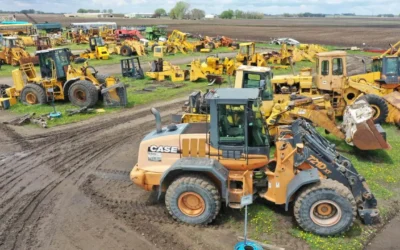
“Construction management software” covers two very different jobs. Some products manage the documents on a project: drawings, RFIs, submittals, change orders, and owner communication. Others manage the operation that builds it: who is working where today, how many hours they put in, which truck has the generator, and whether the excavator passed its pre-trip inspection.
The most common buying mistake is choosing a tool built for the first job when the company’s real problem is the second. A general contractor coordinating a dozen subs needs a different system than a self-performing contractor with crews, trucks, and equipment spread across several regions.
This guide compares eight products by who they are built for, what they cover in the field, and how they are priced. We checked every price on the vendor’s own website in October 2026.
The short list
| Software | Best for | Field time tracking | Equipment and tool tracking | Published pricing |
|---|---|---|---|---|
| CrewView | Contractors of any size that run crews and equipment, from one office to many divisions | Yes, mobile time clock with location | Yes, QR labels, handoffs, inspections | $29/user/mo; Enterprise plans for 150+ users |
| Procore | General contractors on large, document-heavy projects | Yes, timesheets | Telematics integrations | Quote, based on annual construction volume |
| Buildertrend | Residential builders and remodelers | Yes, time clock | Not listed on pricing page | Quote |
| Fieldwire by Hilti | Plan, task, and punch-list management | Through Hilti CrewCenter | Hours on T&M forms only | Free tier; $39–$89/user/mo |
| Forma Build (Autodesk) | Teams already working in Autodesk and BIM | Not a focus | Not a focus | $67–$117/user/mo |
| Raken | Daily reports and field documentation | Paid time clock add-on | Equipment hours and on-site time | Quote |
| ClockShark | Small crews that mainly need GPS time tracking | Yes, GPS and geofencing | No | $42–$63/mo base plus per user |
| busybusy | Time and equipment hours for self-perform trades | Yes, GPS | GPS equipment tracking | Free tier; $9.99–$17.99/user/mo plus admin fee |
What to look for before you compare features
Start with the work your office and field teams repeat every day, not the length of a feature list.
- Who uses it most. If superintendents and foremen are the main users, the mobile app matters more than the desktop dashboard. A tool the crew avoids produces bad data.
- Where your labor cost is lost. Missing clock-outs, hours coded to the wrong job, and crews waiting on equipment are field problems. Document control software rarely fixes them.
- What you own. Contractors with trucks, trailers, and tools need to know who has each asset and whether it is safe to use. That is a separate discipline from project document management.
- How pricing scales. Per-user pricing, volume-based pricing, and long contract terms produce very different costs as a company grows.
- How much setup you can absorb. The large platforms often need a dedicated administrator and weeks of configuration before a foreman gets anything out of them.
1. CrewView: best for contractors who run crews and equipment
CrewView is built for the operations side of construction. It puts people, projects, time, equipment, and safety in one system, with a web app for the office and a mobile app for the field. Companies that self-perform their work, such as civil, utility, concrete, and specialty contractors, get the most from it. CrewView fits a single-office contractor with a few crews, and it scales to a company running many divisions across several states under one account.
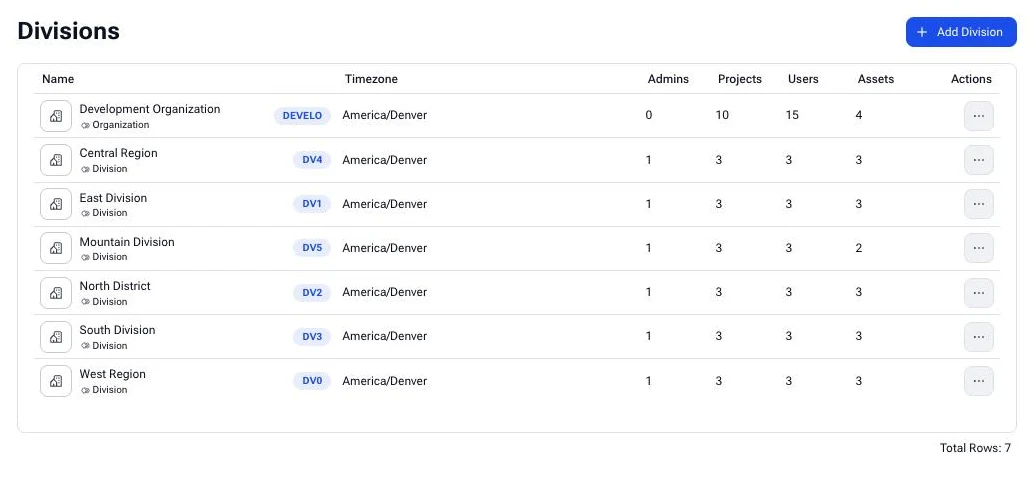
Built for one office or many divisions. Large contractors rarely run as one company. They run regional offices, business units, and acquired companies that each have their own crews, equipment, and rules. CrewView models that directly. Each division keeps its own projects, people, and assets under one parent organization, and sets its own work rules for working days, breaks, and automatic clock-out, along with its own policy on whether equipment transfers need the recipient to accept them. People who work across regions can be given access to more than one division, and custom roles control what each person can see and change. Leadership gets one view of the whole company without forcing every division into the same process. See company management.
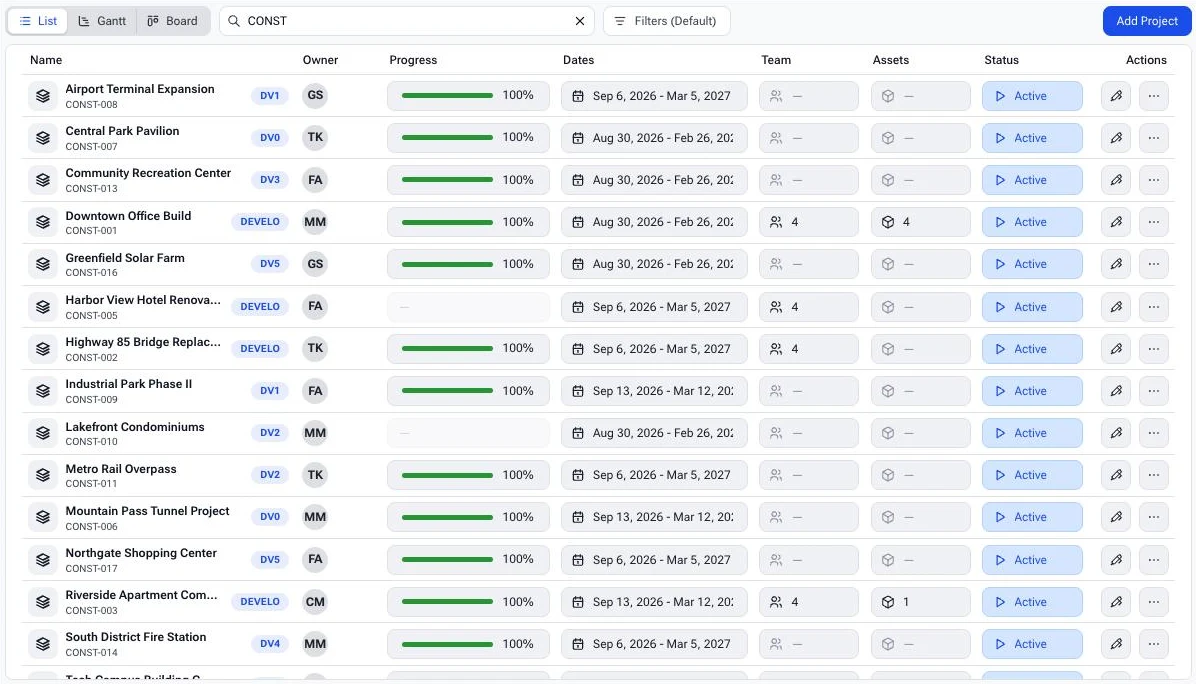
Projects and tasks. Create projects and break them into tasks, then view the work as a list, a Gantt chart, or a board. Each project keeps its team, assigned assets, and files together. See project and task management.
Time tracking crews will use. Employees clock in and out from the mobile app, and CrewView records where each punch happened. Supervisors can clock in a whole crew at once, and office staff review timecards against the projects and tasks the hours were charged to. Work rules for each division cover working days, breaks, non-work days, and automatic clock-out. See the GPS time clock and construction timecards.
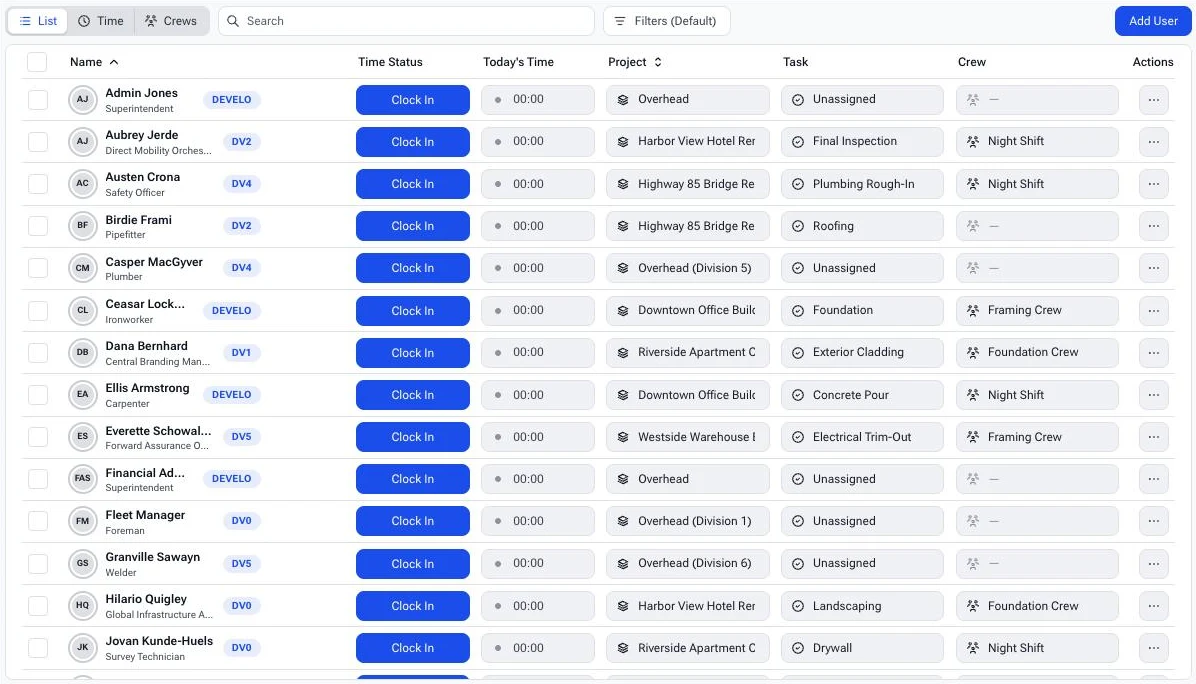
Crew scheduling. Book crews or individual employees onto tasks for a date range, and see conflicting bookings before they become a problem on site. Each person’s schedule shows the projects they are booked on and the projects they have access to. See crew scheduling.
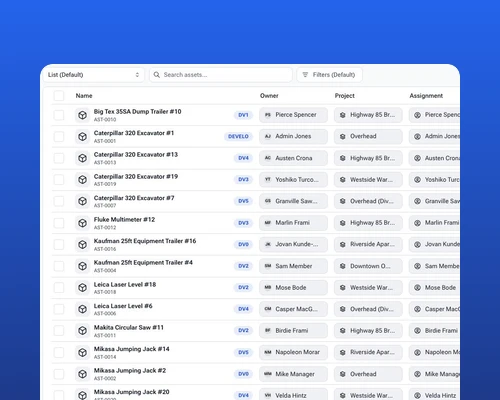
Equipment and tool tracking. Every asset shows where it is assigned: to a person, a task, or another asset, such as a drill in a truck or a trailer behind it. QR labels make it quick to look up or move an asset from the field. When a division requires it, a transfer stays pending until the person receiving the asset accepts it, so nothing changes hands without a record. CrewView tracks company-owned, rented, and employee-owned equipment separately. See tool tracking and equipment management.
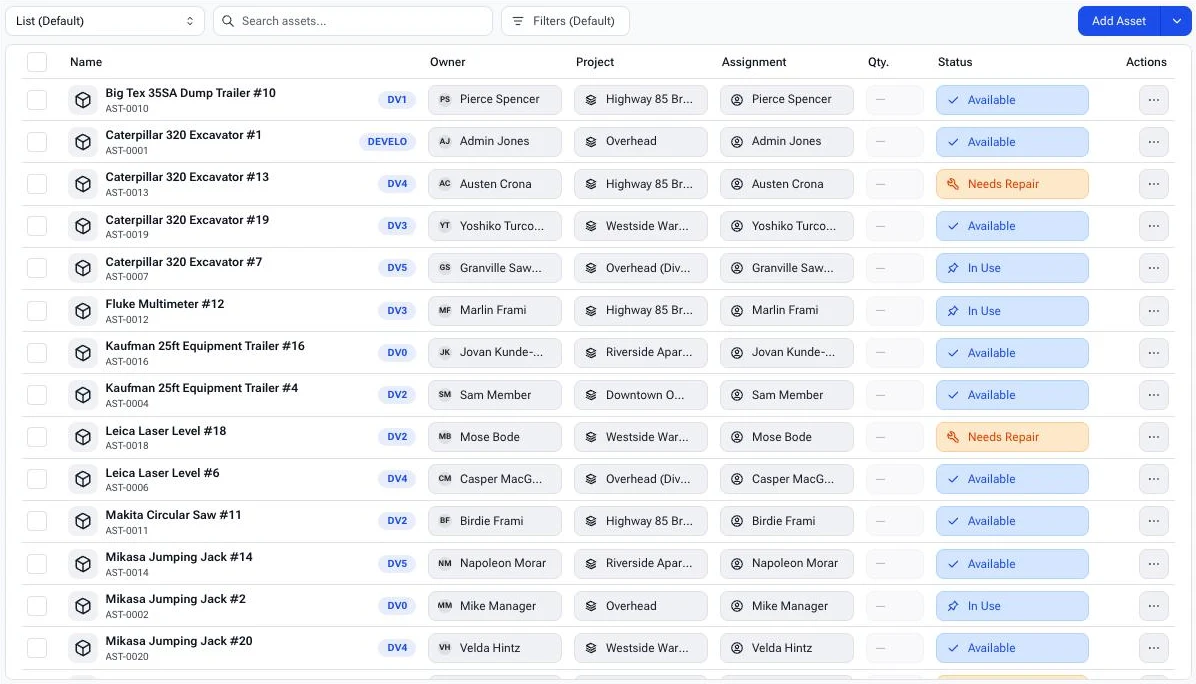
Inspections and maintenance. Drivers complete pre-trip and post-trip inspections on the same form, recording mileage and engine hours on each half. Inspection templates can apply to every asset in a category on a schedule set by time, mileage, or engine hours. CrewView also connects to John Deere Operations Center, Geoforce, and Ford Pro telematics. See equipment maintenance.
Safety forms and JSAs. Build your own forms and fill them out by project or task, with QR codes that open a form straight from the jobsite. Injury reports with signatures are part of each employee’s record. See digital JSA forms.
Reports. Run unit reports, daily summaries, detailed timesheets, and inspection compliance reports from one place, for one division or the whole company. See reporting.
Pricing. Pro is $29 per user per month. Enterprise plans for companies with more than 150 users are custom-priced. Teams of up to 9 users can use CrewView for free, with limited support. Full details are on the pricing page.
Where it is not the right fit. CrewView does not try to replace a general contractor’s document control system for RFIs, submittals, and drawing sets. GCs that need that workflow often run a platform like Procore or Forma Build for the project record and CrewView for the field operation.
2. Procore: best for large general contractors
Procore is the best-known platform for general contractors, owners, and specialty contractors working on large commercial projects. Its strength is the project record: documents, drawings, RFIs, submittals, budgets, and change management across many stakeholders. Every plan includes unlimited users, unlimited storage, and 24/7 support.
Procore has been adding field tools. Its timesheets product handles crew time entry, labor budget-to-actual by cost code, and payroll export, and in January 2026 it released equipment telematics integrations with Caterpillar, John Deere, and Samsara. It has also added AI features, including the Helix AI layer, an agent builder, and the January 2026 acquisition of Datagrid.
Pricing is quote-based. Procore charges an annual fee per product based on your annual construction volume, so cost rises with the work you win rather than the number of users.
Consider it if you are a GC whose main pain is coordinating documents and subcontractors on large projects.
3. Buildertrend: best for residential builders and remodelers
Buildertrend is built mainly for homebuilders and remodelers, though it also serves some commercial GCs and trade contractors. It covers scheduling, daily logs, a time clock, change orders, client selections, a subcontractor portal, and warranty work, with unlimited users and projects.
In July 2026 Buildertrend acquired BizJet AI, adding to its existing AI features for client updates and bill capture.
Buildertrend no longer publishes prices. Plans are quoted, with a discount for paying annually.
Consider it if homeowner communication and selections are central to your business. Contractors with large equipment fleets will likely need a separate asset system.
4. Fieldwire by Hilti: best for plan and task management
Fieldwire focuses on the jobsite view of the drawings. Teams use it for plan viewing, task management, punch lists, checklists, and forms. In 2026 Hilti launched CrewCenter, a separate time management product for North American crews that covers cost codes, breaks, overtime, and GPS snapshots at clock-in and clock-out. Its Field Intelligence AI features search across plans, tasks, and photos.
Fieldwire has a free tier for up to five users and three projects. Paid plans run from $39 to $89 per user per month, billed annually. Equipment appears mainly as hours logged on time-and-materials forms rather than as tracked assets.
Consider it if your field teams live in the drawings and need a fast punch-list tool.
5. Forma Build (formerly Autodesk Build): best for Autodesk and BIM teams
Autodesk Construction Cloud was rebranded as Autodesk Forma in March 2026, and Autodesk Build is now Forma Build. Logins and integrations did not change. Forma Build covers project management, cost, quality, and safety, and it fits naturally for teams already designing in Revit or managing BIM models.
Published pricing starts at $67 per user per month for Forma Build Essentials and $117 per user per month for full Forma Build, both paid annually. An unlimited-user option is available through sales.
Consider it if your projects run on Autodesk models and you need design and construction data in the same environment.
6. Raken: best for daily reports
Raken is built around field documentation. Superintendents use it for daily reports, photos, production tracking, and toolbox talks, with a library of more than 100 topics in English and Spanish. It also tracks owned and rented equipment hours and time on site.
Raken’s time clock is a paid add-on on every plan. Pricing is quote-based across Basic and Performance plans.
Consider it if daily reporting is the workflow you most need to fix.
7. ClockShark: best for simple GPS time tracking
ClockShark is a time tracking and scheduling tool for small and mid-size construction and field service crews. It offers GPS time tracking, geofencing, drag-and-drop scheduling, and job costing. Its newer Lightning release adds AI shift briefs, task checklists, and mileage tracking.
Plans start at a $42 or $63 monthly base fee plus $9.50 or $11.50 per user. The pricing page states that a three-year contract term applies to all plans. ClockShark does not offer equipment or tool tracking.
Consider it if time tracking is your only problem and you want a narrow tool.
8. busybusy: best for time and equipment hours in self-perform trades
busybusy targets self-perform trades such as concrete, excavation, and landscaping. It tracks time with GPS, costs jobs, and logs equipment hours, and in April 2026 it added GPS equipment tracking with telematics. Safety forms and equipment inspections are available as add-ons. busybusy is owned by AlignOps, which also owns ToolWatch for tool management and FleetWatcher for heavy-civil telematics.
There is a free plan with unlimited users. Paid plans are $9.99 to $17.99 per user per month billed annually, plus a $40 monthly admin license.
Consider it if you want a low entry price for time tracking and are comfortable adding separate products for tools and safety as you grow.
Which construction management software is best in 2026?
There is no single answer, because the products solve different problems.
- For large GCs managing documents and subcontractors, Procore or Forma Build.
- For residential builders, Buildertrend.
- For plan-centric field teams, Fieldwire.
- For contractors whose biggest costs are labor and equipment, CrewView, whether you run one office or a dozen divisions.
Our view is that most contractors who self-perform their work buy a document platform first and still reconcile timecards and equipment logs by hand. When the crew, the timecard, the truck, and the inspection live in different apps, the office spends its week reconciling them. CrewView keeps them in one record, so a manager can see who was on a job, what they worked on, which equipment they used, and whether it was inspected, without calling the field to ask.
Schedule a walkthrough to see CrewView with your own crews, projects, and equipment, or compare plans.